3.4.6.6. Raster zonal stats
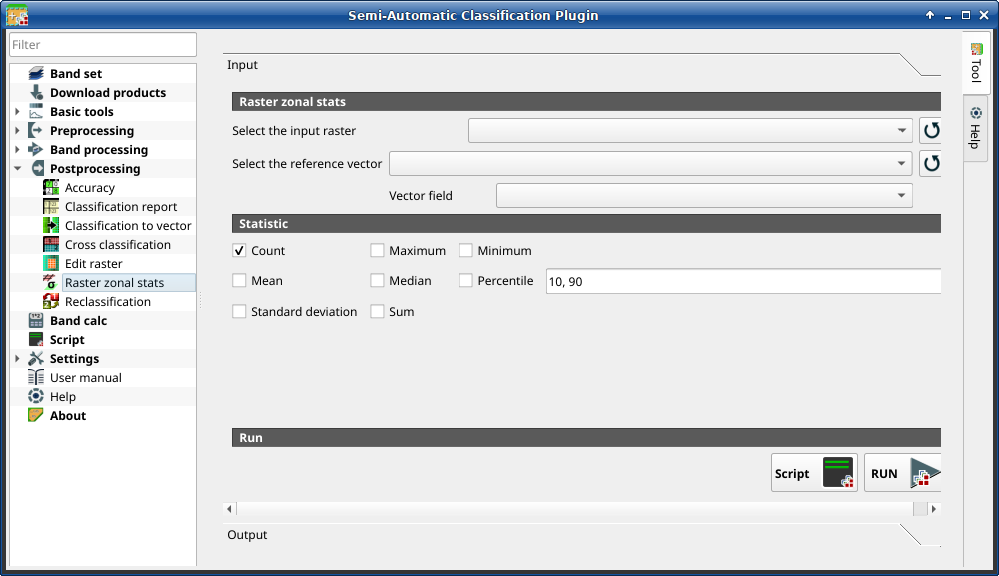
Raster zonal stats
This tab allows for calculating the statistics related to an input raster for
every unique value of a reference vector.
For example, if a vector file contains a numeric field zone, this tool
allows for calculating the mean value (for each zone) of input raster pixels.
Tip
Information about APIs of this tool in Remotior Sensus at this link .
3.4.6.6.1. Raster zonal stat
Tool symbol and name |
Description |
|---|---|
Select the input raster |
select a raster (already loaded in QGIS) |
|
refresh layer list |
Select the reference vector or raster |
select a raster or a vector (already loaded in QGIS), used as reference layer for zones |
|
refresh layer list |
Vector field |
if a vector is selected as reference, select a vector field containing numeric values |


3.4.6.6.2. Statistic
Tool symbol and name |
Description |
|---|---|
|
if checked, calculate Count statistic |
|
if checked, calculate Maximum statistic |
|
if checked, calculate Minimum statistic |
|
if checked, calculate Mean statistic |
|
if checked, calculate Median statistic |
|
if checked, calculate Percentile statistic; multimple percentile values can be entered separated by comma in the input text |
|
if checked, calculate Standard deviation statistic |
|
if checked, calculate Sum statistic |


3.4.6.6.3. Run
Tool symbol and name |
Description |
|---|---|
Script |
add this function to the Script |
RUN |
run this function |

